Queue the Soundtrack
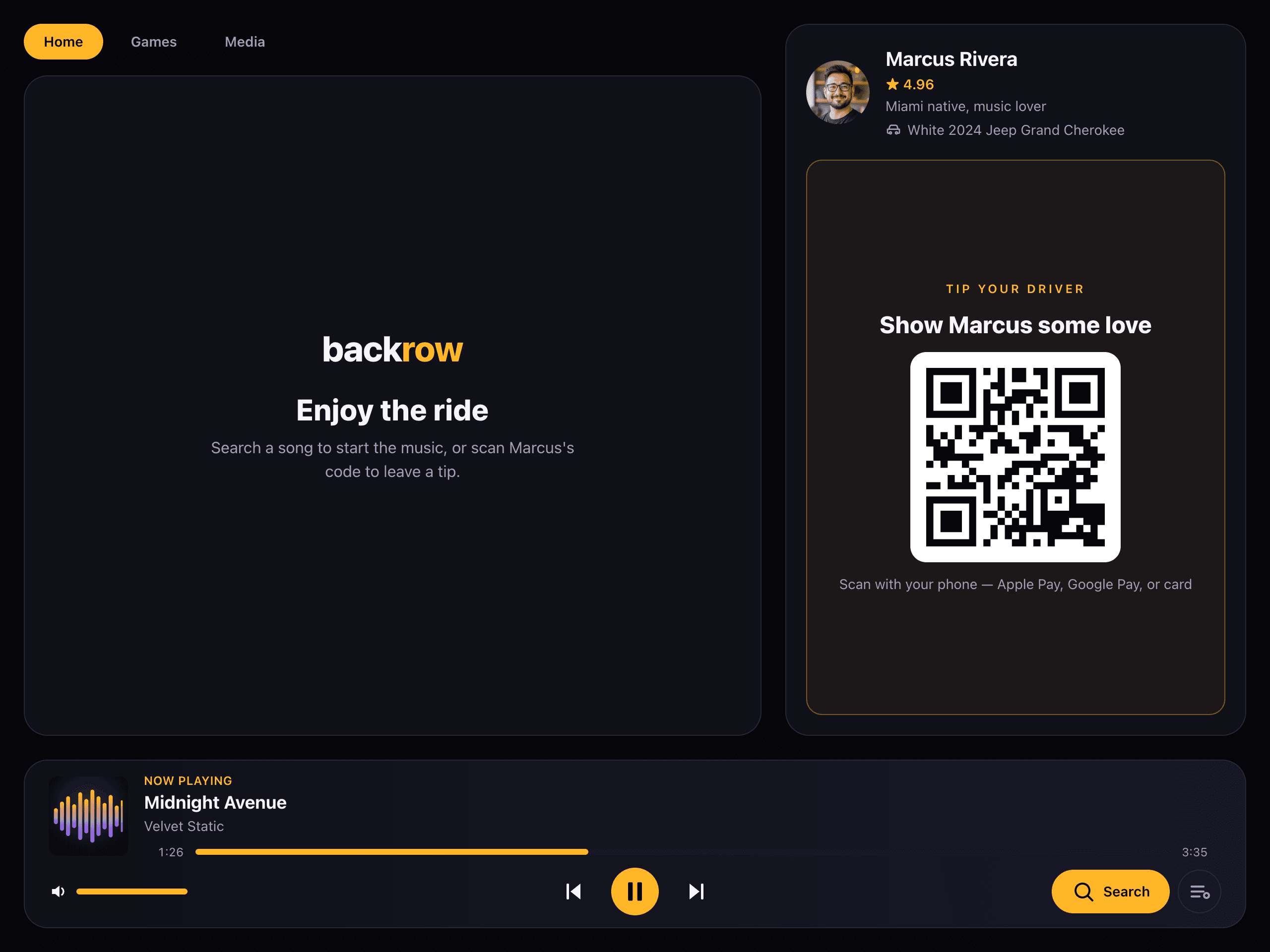
Passengers search Spotify and drop tracks straight into your queue — no asking, no aux cable.
The backseat, upgraded
A tablet kiosk for rideshare drivers. Passengers run the music and tip you directly. You keep the wheel — and the show pays for itself.
How it works
Get a cheap Android tablet, open your kiosk URL, done.
They search Spotify, play games, and scan the QR to tip.
Money lands in your Stripe account instantly.
Built for rideshare drivers. Loved in Miami.
Be one of the first drivers on BackRow
Passengers search Spotify and drop tracks straight into your queue — no asking, no aux cable.
A great ride earns a great tip. Money lands in the driver's account, instantly, via Stripe.
Passengers enjoy trivia and bingo between songs. Happy passengers tip more.
Pricing
Start free. Go Pro to keep 100% of every tip — with a 14-day free trial, cancel anytime.
$0/mo
Everything you need to get on the road.
Free forever — upgrade only when you're ready
$24.99/mo
Keep every dollar your passengers tip.
Pro starts with a 14-day free trial — no charge until it ends, cancel anytime.
On Pro, yes — there's no platform fee, so every dollar a passenger tips is yours. On the Free plan we keep 10% of each tip. Either way, passengers cover the card processing fee, never you.
Not during your 14-day free trial. Cancel before it ends and you won't be billed at all. After that it's $24.99/month, or $249.99/year if you go annual.
No. They scan the QR on the kiosk and pay from their own phone with Apple Pay, Google Pay, or a card — nothing to install, and no card details on the shared tablet.
Yes, from your dashboard's billing portal. You keep Pro until the end of the period you've already paid for.
A Spotify account for the music queue and a quick Stripe payout setup so tips land in your bank. The onboarding wizard walks you through both.
For the best experience, lock the tablet to BackRow so passengers can't leave the page. On iPad, turn on Guided Access (Settings → Accessibility → Guided Access), open BackRow, then triple-click the side button to lock it — see Apple's guide. On Android, turn on Screen Pinning (Settings → Security → App pinning), open BackRow, then pin it from the recent-apps view — see Google's guide. A tablet stand or mount keeps it steady on the headrest or dash.